
SSS members who need to register an account for benefit or loan payments can use the Disbursement Account Enrollment Module, or DAEM, in My.SSS. Prepare the account details and verification documents before submitting an enrollment request. Check the payment options allowed for the benefit or loan you intend to claim.
The facility is relevant to eligible SSS members, including OFWs, self employed and voluntary members. Enrollment records where an approved payment may be sent. It does not create a cash grant, approve a loan or establish entitlement to a benefit.
You should never pay a fixer to submit your account details.
Check your My.SSS access first
Start from the official SSS website and follow its member login link. Use your own My.SSS account and make sure you can access the email address or mobile number used for verification. If you have no online account, read our My.SSS account registration information alongside the current SSS registration instructions.
If you already have an account, recover access rather than assuming you need a second registration. Keep passwords and one time codes private. Do not send them to someone offering faster enrollment or guaranteed benefit approval.
Choose a payment channel for your actual claim
SSS publishes different payment instructions for its benefits. Its sickness and disability pages list PESONet participating banks, electronic wallets and accredited remittance or cash payout channels, subject to the applicable arrangements. This does not mean every option is accepted for every loan, pension or benefit.
Check the relevant claim page and the choices in your account before opening or enrolling a payment account. The SSS retirement page explains a separate rule for members with a UMID card enrolled as an ATM card. If that arrangement applies to you, check its instructions before assuming a new enrollment is required.
Prepare the documents before opening DAEM
SSS’s published verification requirements include proof of disbursement account, a government issued ID or document, and a selfie holding the uploaded proof of account and ID. Follow the current image and file instructions in the portal. For a bank account, check that the proof identifies the account holder and account number.
A card number is not always the same as the bank account number. Ask the bank if you cannot identify the correct number. For a wallet or cash payout option, follow the mobile number and account details requested for that channel.
Use clear images taken from the original documents. Before uploading, check whether the name, number and other required details can be read without guessing. Do not crop away information needed for verification.
Submit through your own member account
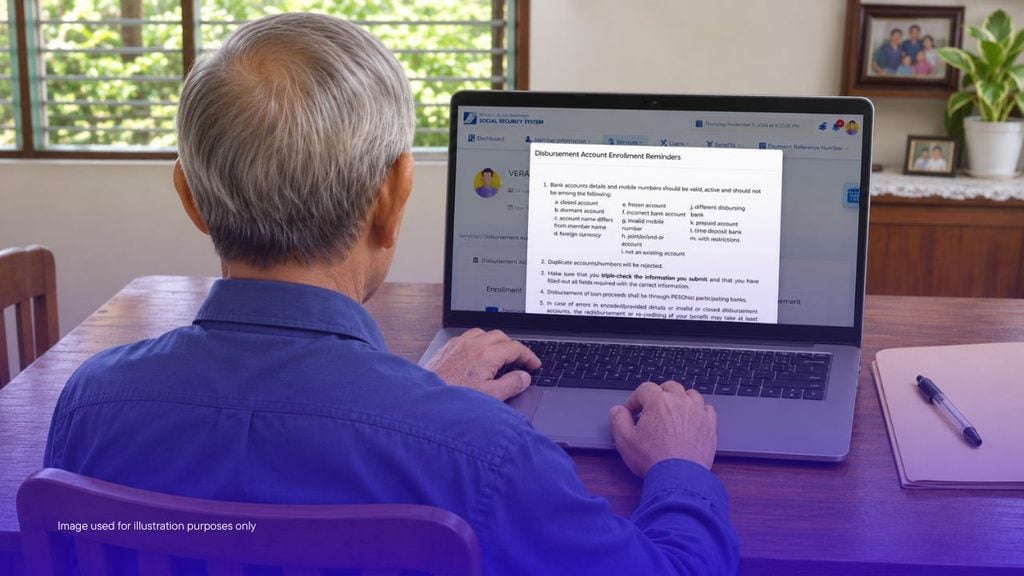
The official retirement guidance places DAEM under the E Services menu in My.SSS. Open the module and read the reminders before continuing. Select an available channel, enter the required information and upload the documents requested.
Check the account number or mobile number again before confirming. Compare the typed entry with your supporting document, not with an old note or message. Complete the declarations only after reviewing the information.
Save the acknowledgement or reference displayed by the system. Screen labels can change, so follow the current portal instructions if an older screenshot looks different. For a demonstration, the SSS maternity benefit page links to the agency’s DAEM tutorial under “How to Apply”.
Wait for account approval before relying on it
Submitting the form and receiving approval are different stages. Check the enrollment status and any message requesting correction or additional documents. SSS’s maternity benefit guidance says individual members may enroll up to three disbursement accounts, while employers enroll one.
Having several enrolled accounts does not mean one benefit will be paid into all of them. Check the account selected for your claim. If an enrollment is returned or rejected, read the stated reason before resubmitting.
Correct the specific issue rather than repeatedly uploading the same unclear file. For example, an unreadable proof of account needs a clearer copy, while a wrong typed number needs correction in the form.
Account approval does not approve the benefit
A benefit or loan application has its own conditions, documents and decision. An approved DAEM record only addresses the payment account step. It does not replace contribution requirements or a separate claim application.
Check the claim status as well as the account status when following up a payment. Keep the claim reference and enrollment reference together so you can explain which stage needs attention. Avoid relying on a single advertised payment timetable for all SSS transactions.
If an approved payment cannot be credited
Ask SSS which correction or re-disbursement route applies to that benefit. The official maternity and disability pages describe updating or enrolling an account and using the Benefit Re-disbursement Module after unsuccessful crediting. Our benefit re-disbursement article covers that separate process; follow the current SSS instructions for your case.
Before starting, check whether the account is active and whether the recorded details are correct. Keep bank messages and SSS notices available for the enquiry. Do not file a duplicate benefit claim simply because the payment account has a problem.
Disclaimer: SSS decides account approval, benefit eligibility and payment arrangements. Requirements and available channels may change. Use current My.SSS instructions and contact SSS through its official channels if a correction or payment remains unresolved.