
Pag-IBIG members whose MP2 savings have reached the five-year term can apply to claim their money through the Fund’s official process. Virtual Pag-IBIG lists an MP2 Savings Maturity option under its savings claims services. Check your account’s maturity and prepare the required documents before applying.
The money is your own savings and the dividends payable under your account, rather than a new cash assistance grant. The official claim service is for eligible account holders, including members working abroad. The Fund’s published Citizen’s Charter lists no application fee for the provident benefit claim service, although separate document or bank costs may apply to your circumstances.
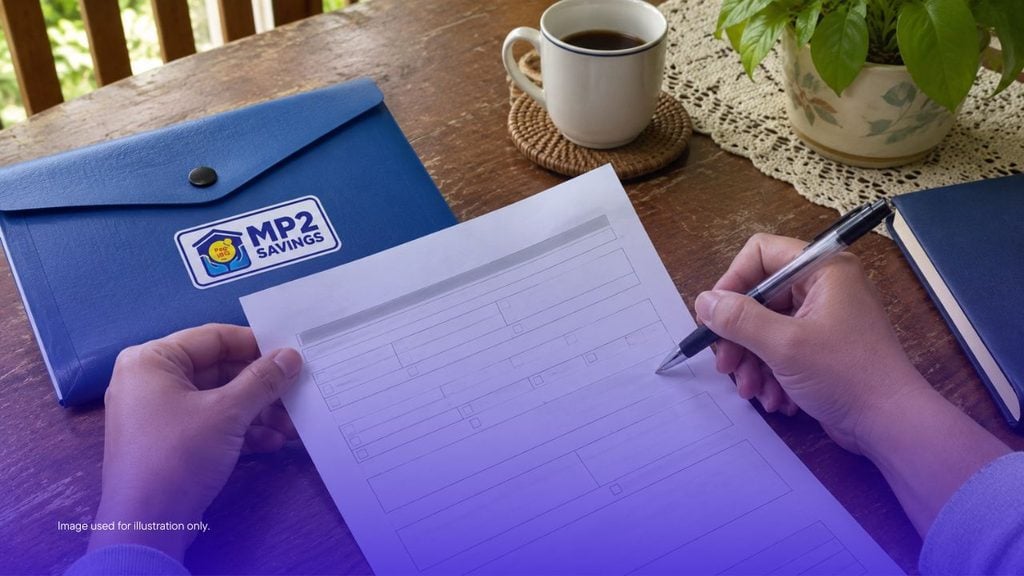
Check the right account and claim type
MP2 is separate from Pag-IBIG Regular Savings. Use the correct MP2 account number when checking the balance or completing a claim. If you hold several accounts, verify which one has matured rather than assuming they all became payable on the same date.
The MP2 guidelines provide for release at the end of the five-year membership term. What is payable also depends on whether you selected annual dividend payouts or compounded dividends. Ask Pag-IBIG to confirm the account’s maturity date and balance if your records are unclear. Early termination has separate grounds and possible effects on dividends, so do not use the maturity route for an account that has not matured.
For background, read our MP2 enrolment information. Use the Fund’s current rules when deciding what applies to your account.
Documents to prepare
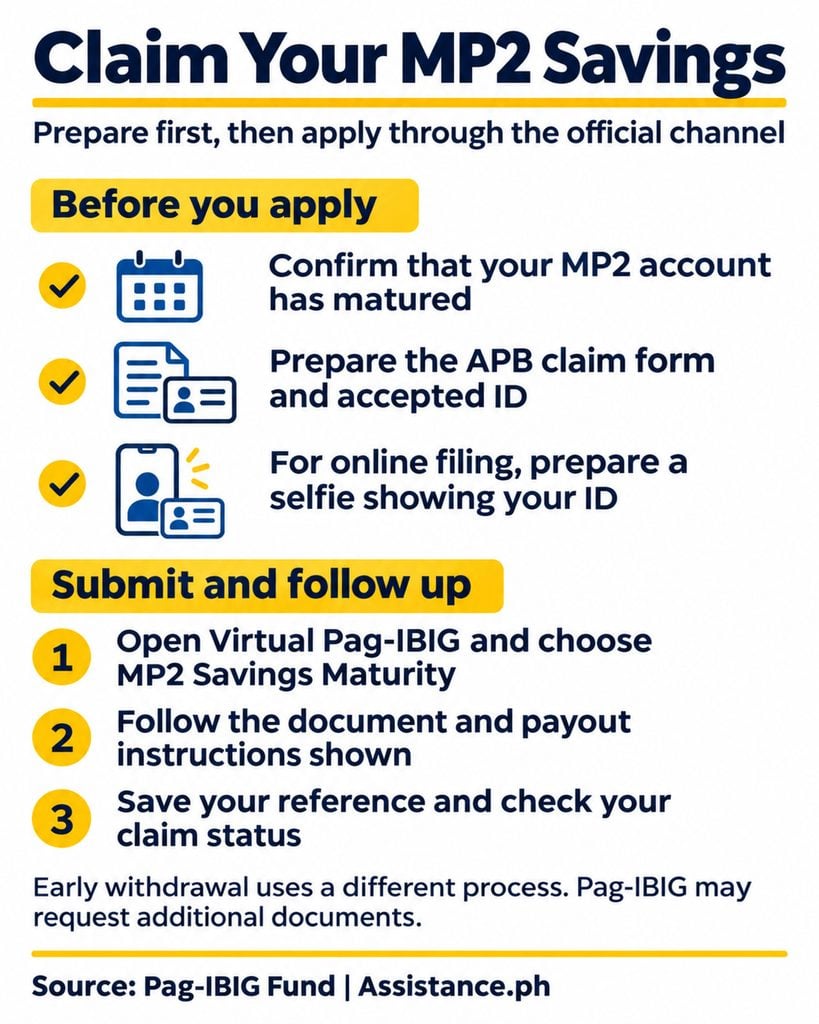
The Fund’s published online claim checklist includes:
- The completed Application for Provident Benefits Claim, or APB, form.
- Pag-IBIG Loyalty Card, Loyalty Card Plus or an accepted valid ID, as applicable.
- A selfie showing the ID for the online process.
- Any additional documents required for your claim or chosen payout method.
Use the official APB form, checking whether a newer version is available when you apply. The form distinguishes MP2 maturity from early termination and includes the MP2 account number. Do not select Regular Savings maturity simply because that option appears first.
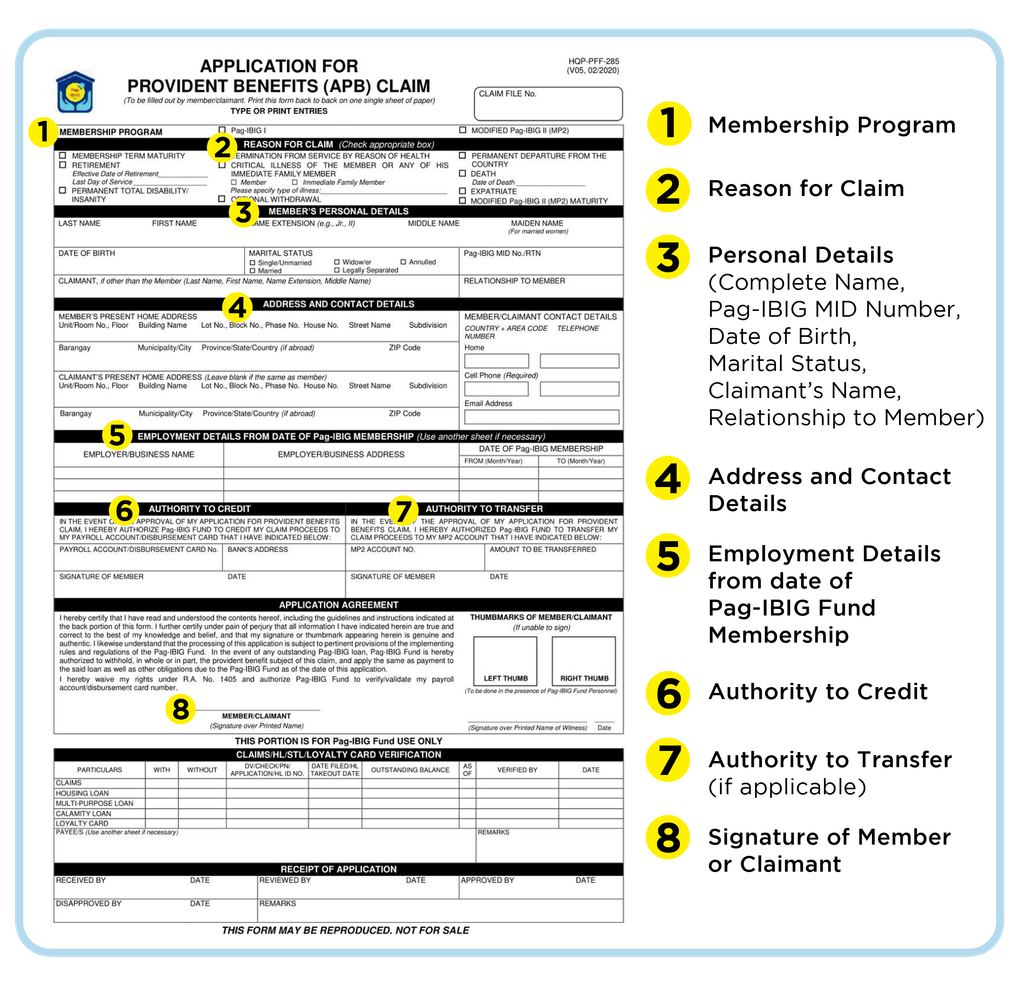
For an online application, prepare clear copies with readable names and numbers. Keep your originals available in case the Fund asks to see them. Confirm the bank or disbursement details requested by the claim route rather than assuming any account can receive the payment.
Apply through Virtual Pag-IBIG
1. Open the official Claim Pag-IBIG Savings page.
2. Select MP2 Savings Maturity and follow the current verification instructions.
3. Enter your membership and MP2 details carefully.
4. Provide the application and supporting documents requested by the service.
5. Check the payout instructions and review your entries before submitting.
6. Save the acknowledgement or reference provided.
Follow the current screens if the portal layout differs from an older article or video. This is the public route listed by the Fund; the full application requires your own information and was not tested with a member’s private account.
If you cannot complete the online process, ask a Pag-IBIG branch which filing route and documents apply. Do not send identification documents to a social media account offering to submit the claim for you.
Check the status and payout instructions
The official savings page also lists a claim-status option. Use the reference from your application and respond to any request for clarification through the Fund’s official channel. Submitting a form is not the same as receiving approval or a release date.
Keep copies of your application, supporting documents and acknowledgement together. If a payment is delayed, explain which claim you submitted and when, rather than starting another application without checking the first.
The APB form provides for approved disbursement arrangements and a possible transfer to an MP2 account. Check the conditions for your chosen option. Do not assume that a wallet, another person’s bank account or an unverified payout link is accepted.
Processing time and fees
Processing begins with a complete application and supporting documents. The relevant time depends on the claim route and whether records or documents need checking. Use the current Citizen’s Charter and the advice provided for your application instead of relying on a fixed release promise from a blog.
The published claim service lists no application fee. If someone asks you to pay to “unlock” the savings, confirm the request directly with Pag-IBIG before transferring money. Ask separately about any costs connected with obtaining documents or using a bank service.
What happens if you leave the money unclaimed
Under Circular 407, matured MP2 savings stop earning the MP2 dividend rate. The guidelines provide for Regular Savings dividend rates for the next two years, after which the balance is reclassified as payable. Check any later account-specific rule or instruction with the Fund before deciding to leave money untouched.
If you want to continue saving, confirm the current enrolment or transfer options with Pag-IBIG. Our MP2 online payment information concerns contributions; a maturity claim is a separate transaction.
Your next step
Check the maturity date, download the current APB form and prepare readable identification documents. Use the official service to submit or follow up, and keep the reference until your claim is settled.
Disclaimer: This article provides general process information, not an investment recommendation or a promise of payment. Pag-IBIG determines eligibility, documents, the amount payable and release arrangements. Confirm current instructions before filing.