
The Philippine Charity Sweepstakes Office provides educational assistance to qualified college students who need help paying school expenses. Applications were previously accepted through appointments made using the eGovPH mobile app. Instructions for applicants outside Metro Manila also allowed documents to be submitted through an official PCSO email address.
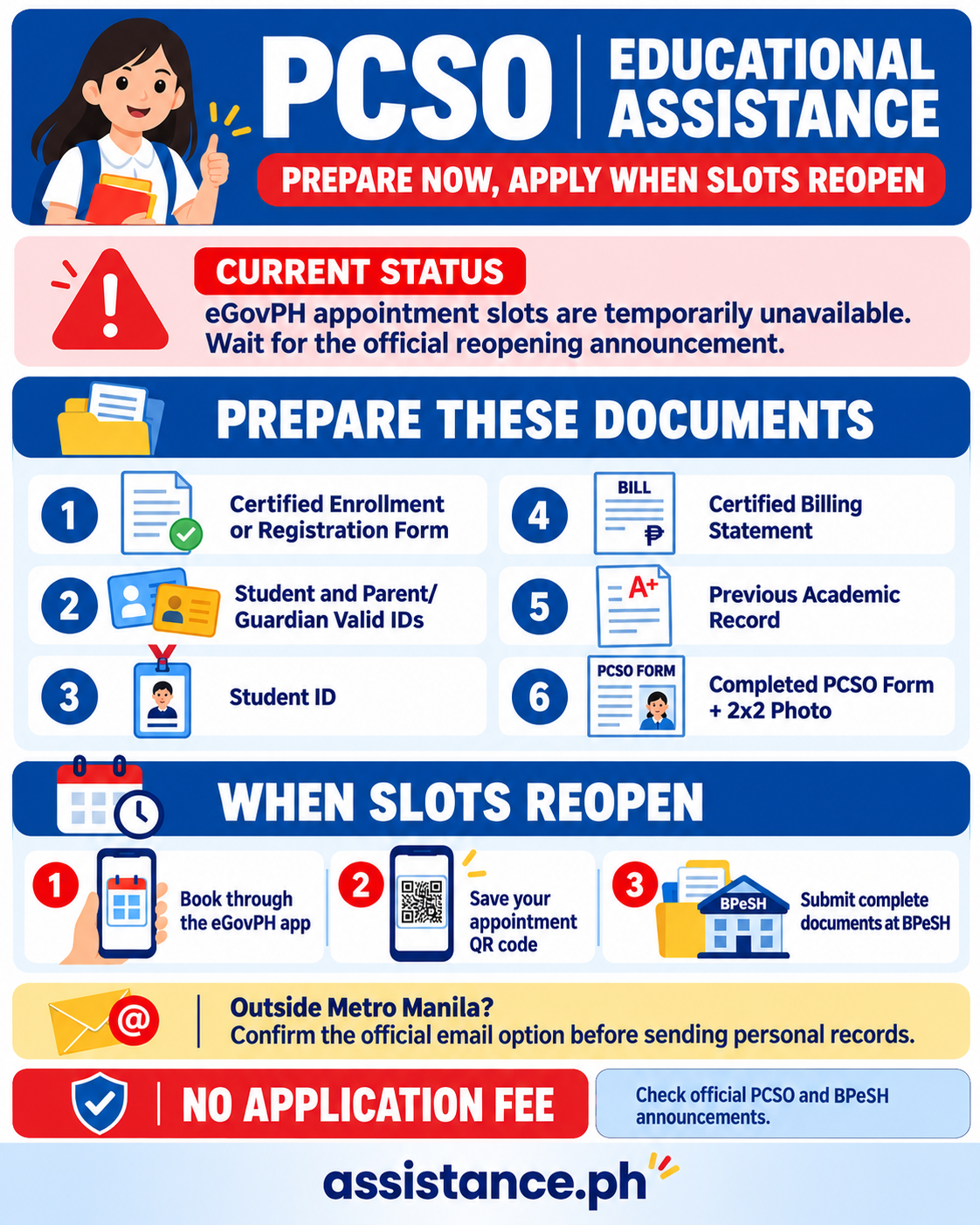
However, students should note an important update before applying. In a public reply, the official Bagong Pilipinas eGovPH Serbisyo Hub said there was temporarily no available schedule for PCSO Educational Assistance. Applicants were advised to wait for a new announcement.
This means students may prepare their requirements, but they should not assume that appointment slots are currently open.
PCSO has helped thousands of college students
Educational assistance is a confirmed PCSO service.
In an official report published on August 11, 2026, PCSO said it had assisted around 22,000 students since 2022. More than ₱375 million had been provided during the period.
The support comes from the charity funds raised through PCSO games and other authorized activities.
PCSO has also distributed educational assistance during community programs held with local government units. However, access, selection and application arrangements may vary depending on the location and available funds.
Educational assistance is separate from the agency’s Medical Assistance Program.
What the eGovPH Serbisyo Hub announced
The Bagong Pilipinas eGovPH Serbisyo Hub previously released the application requirements and two submission options.
Metro Manila applicants could schedule an appointment through the eGovPH app and submit their documents in person.
Applicants outside Metro Manila were given an email submission option.
The physical hub is located at the Presidential Action Center in the Makabagong San Juan National Government Center, Pinaglabanan Street, San Juan City.
The hub connects several government services with the eGovPH app. Users can book appointments and, for supported transactions, upload or prepare documents before visiting a government desk.
Prepare these six school documents
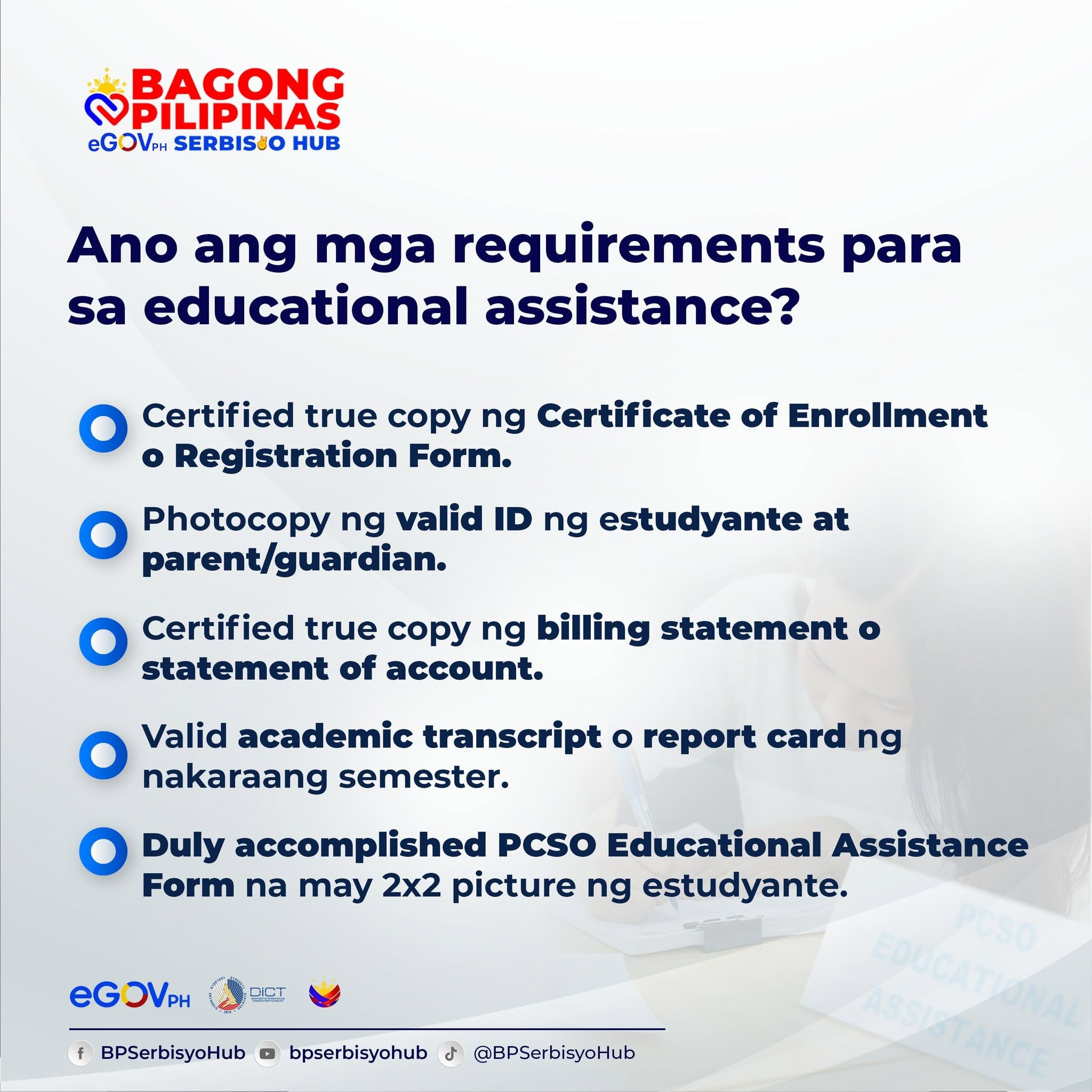
Applicants should prepare the following:
- A certified true copy of the Certificate of Enrollment or Registration Form for the current semester
- A photocopy of a government-issued ID belonging to the student
- A photocopy of the parent or guardian’s government-issued ID
- A photocopy of the student’s school ID
- A certified true copy of the school Billing Statement or Statement of Account
- A copy of the previous semester’s academic transcript or online report card
Students must also complete the PCSO Educational Assistance Application Form and attach a recent 2×2 ID photo.
The form is listed on PCSO’s official downloadable documents page.
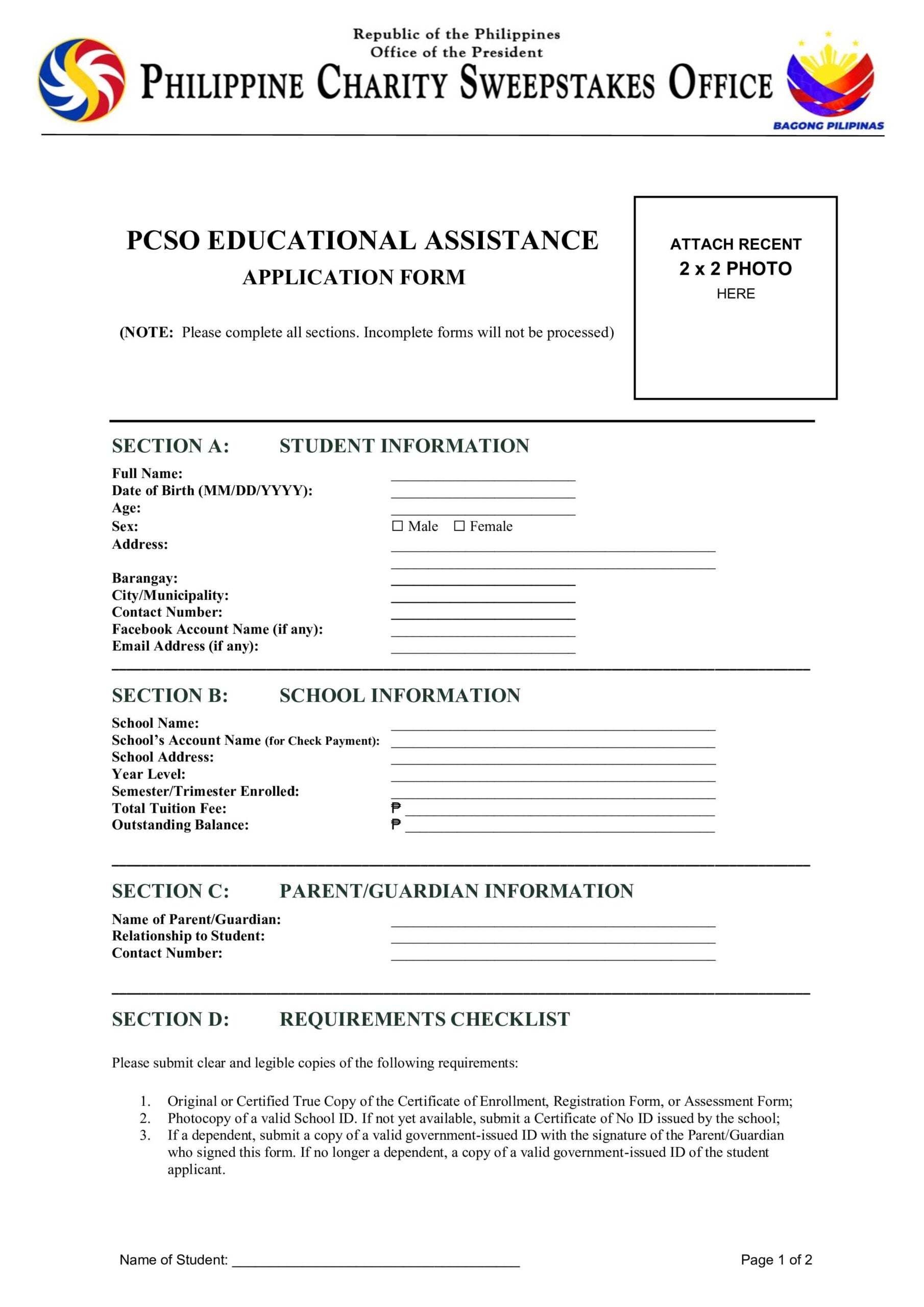
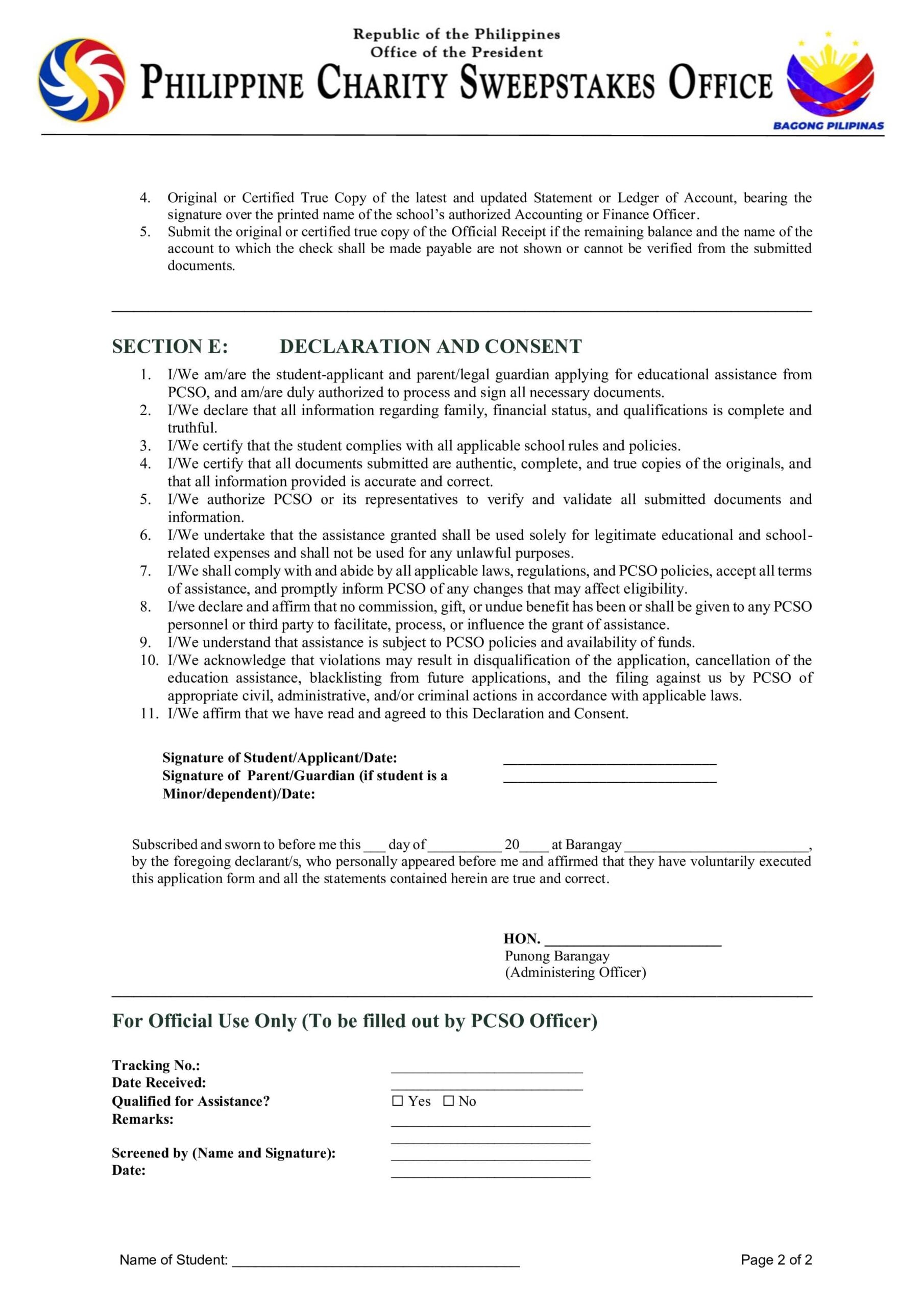
IMPORTANT: Applicants should complete every required section. Missing information or incomplete documents may delay the assessment or cause the application to be returned.
How to Register through the eGovPH app
Once PCSO appointment slots reopen, Metro Manila applicants may follow these steps:
- Download or open the official eGovPH app.
- Sign in using the applicant’s account.
- Open the section for the Bagong Pilipinas eGovPH Serbisyo Hub.
- Look for PCSO Educational Assistance among the available services.
- Select an available appointment date and time.
- Save the QR code generated by the app.
- Visit the San Juan hub on the scheduled date.
- Present the QR code to the assigned action officer.
- Submit the complete application form and supporting documents for checking.
If PCSO Educational Assistance does not appear or no appointment date can be selected, the service may still be unavailable. Applicants should wait for the hub to announce new slots.
Booking under a different government service will not create a PCSO educational assistance appointment.
Email option for applicants outside Metro Manila
The previous BPeSH instructions allowed applicants outside Metro Manila to send scanned documents by email.
Applicants were told to write a short explanation of their financial situation in the email body.
The required subject format was:
PCSO Educational Assistance [Full Name of Applicant]
The official BPeSH post identified verna.soriano@pcso.gov.ph as the receiving address.
Before sending personal records, applicants should check the latest instructions on the official BPeSH Facebook page or contact PCSO. The email route may also be paused when application schedules or available funds are limited.
Send only clear copies of the requested documents. Never pay anyone to process, reserve or approve an application.
How much can a student receive?
PCSO has not announced a fixed benefit for every approved applicant.
The amount may depend on the student’s assessed need, unpaid school balance and available funds.
Some online accounts mention receiving ₱5,000 or having a larger portion of tuition paid. These are personal reports, not guaranteed PCSO benefit levels.
Applicants should not place an expected amount in their budget until PCSO completes its assessment and sends an official decision.
Assistance may also be paid directly to the school instead of being released as cash to the student.
Who may submit an application?
The earlier instructions covered college students currently enrolled in a recognized school, college or university in the Philippines.
Submitting the requirements does not guarantee approval.
PCSO may still check the applicant’s financial situation, school records, outstanding balance and supporting documents. Available funds and the number of applicants may also affect the decision.
What students should do now
Students may download the form and request certified school documents while waiting.
They should regularly check the official BPeSH and PCSO pages for the return of appointment schedules or a new application period.
For confirmation, applicants may contact the PCSO Charity Assistance Department at (02) 8426-3475 or (02) 8366-3328.